You know the Monday morning scene. Three supplier invoices wait in an inbox, a new starter has no laptop, and an order is stuck because the delivery address is missing. None of it is hard. It is the same work done by hand again, and on a tight budget it eats the hours you need elsewhere. AI workflow automation takes that work off your team’s desks.
This guide covers what to automate first, how three common workflows run, and what to keep manual on purpose. For the wider picture, start with our guide to AI for business in Vietnam. Local firms are already moving: 72% of Vietnamese AI adopters report higher productivity.
TL;DR - AI workflow automation turns a manual process into a defined chain: a trigger starts it, fixed steps run it, and an exception path catches whatever does not fit the rules. AI handles the messy steps, such as reading documents, sorting requests and drafting replies, while plain rules keep everything else predictable. Start with one process whose output a colleague can check in seconds.
What Is AI Workflow Automation?
AI workflow automation is software that takes an input (an email, a form, a document), runs a set of defined steps, and writes the result back into the system where the work lives. Only the cases that need a decision reach a person. It is not a robot thinking for itself, and it is not a chatbot.
The payoff is time. Your team gets back the hours it now spends copying data between screens and checking it. Our guide to using AI to save hours every week shows where those hours usually go.
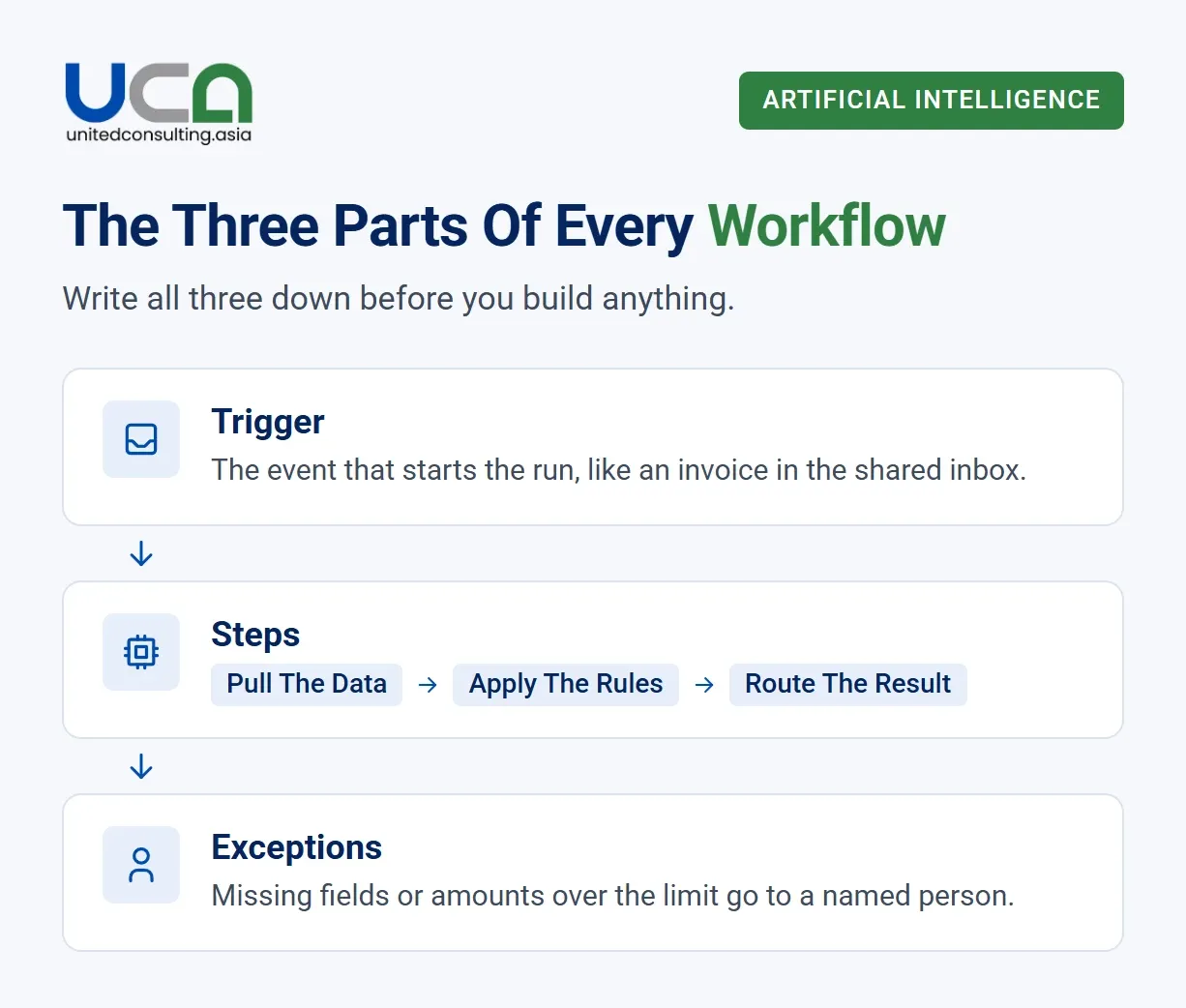
Every workflow, simple or complex, runs on the same three moving parts: triggers, steps and exceptions.
The Three Parts of Every Workflow
Write all three down before you build anything. Leave one out and the process breaks at the worst possible moment.
- Trigger. The event that starts the run, such as an invoice landing in a shared inbox or a form being submitted. “When the team is busy” is not a trigger.
- Steps. The fixed sequence the process follows: pull the data, check it against a rule, choose the route, write the output. AI only comes in where the input is messy, such as a scanned PDF or a free-text email.
- Exceptions. Whatever does not fit, such as a missing field or an amount over a limit.
How to Automate a Manual Process With AI
Start by mapping what happens today, before you look at any tool. Map the real process, not the one you wish you had, and include the workarounds. The shortcuts your staff invented to cope are part of how the work gets done.
- Tag each step. Mark it as rule-based, good for AI, or human-only. Calculations, payments and credit checks stay on plain rules and run automatically inside set limits. Reading scanned documents, classifying requests and drafting replies are where AI fits.
- Define the trigger precisely. “A new invoice email arrives in the accounts inbox” beats “when invoices come in”.
- Fix the output format. Decide which fields must land in the system of record, the one place your real data lives. Anything the model cannot find comes back marked as missing, never guessed.
- Design the exception path first. Decide who handles each failed case, and what they see, before the main path is built.
Once the automation is live, keep the manual process running beside it for a few weeks. Track the error rate, how often a person has to step in, and how long each case takes. The same numbers feed straight into measuring AI ROI. Our AI services team can run that side-by-side test with you before the manual path is retired.
What Should You Keep Manual on Purpose?
However far the automation goes, some steps stay with people: the ones where a wrong call is hard to undo or lands on a person. That means hiring and performance decisions, anything that moves money above a set limit, and anything a customer would notice. A person approves every high-risk or irreversible action.
Some manual steps are better handed to a managed service than automated at all. That is business process outsourcing (BPO), and our BPO services guide explains how it works. Software that runs a whole task with fewer checkpoints is an AI agent, and the AI agents guide covers where to start.
Wondering which of your workflows is worth automating first? Email info@unitedconsulting.asia and we will map your first automation.
3 AI Workflow Automation Examples for Small Businesses in Vietnam
Three workflows come up most often: invoice intake, employee onboarding and order processing. Each one is a trigger, a short list of steps and an exception path.
How Automation Works in Invoice Processing
The trigger is an invoice email landing in a shared inbox, or a supplier upload. The automation strips the email signature, splits out the attachments and pulls the invoice number, supplier, amount and due date into a fixed format.
From there the path is fixed. Match the invoice to the purchase order and receipt, route it by amount or cost centre, record the approval and post it to the accounting system. Our guide to AI in finance and accounting goes further into which finance tasks to automate first.
E-invoicing has been mandatory for most Vietnamese businesses since 2022, and the current rules (Decree 254/2026) require every invoice as structured XML data. If your firm buys or sells in Vietnam, those files land straight in your books.
One detail matters for the workflow: the tax authority does not authenticate every invoice. E-invoices come with and without a tax-authority code, so the automation should record which kind it has received.
Reading those XML fields is different work from optical character recognition (OCR) on a scan, because the data arrives already structured. The Vietnam tax compliance guide shows the same discipline applied to tax work.
In practice, picture a trading company in Ho Chi Minh City where one accountant handles supplier invoices. Today she opens each email, types the fields into the accounting system and chases approvals over chat. With the workflow in place, matched invoices post on their own and she sees only the ones that fail a check: a missing purchase order, a price that differs from the order, or an amount above her approval limit. Her time goes on decisions, not data entry.
How Automation Works in Employee Onboarding
The trigger is HR recording an accepted start date. The workflow then creates a checklist for the role, requests any missing documents, assigns the equipment and account setup to IT, schedules orientation and reminds each owner before day one.
Setup tasks run in parallel, so the laptop order, the accounts and the training all start at once rather than one after another. One human checkpoint stays: a manager confirms role access before it is granted.
How Automation Works in Order Processing
The trigger is a customer order arriving. The workflow verifies the details, checks stock and credit limits against set rules, then creates the picking list, packing slip and shipping label.
Orders that pass flow straight through. Orders that fail stop with the reason attached (payment, address or stock) and land in an exception queue with a suggested fix, so a person corrects the order instead of hunting for the error.
How Does AI Workflow Automation Handle Errors and Exceptions?
Design exception handling before launch, not after the first failure. For every step, decide what happens when an input is missing, the confidence is low or an amount crosses a limit.
What Happens When the AI Is Not Sure?
The model gives its answer in a fixed format, often with a confidence score the system can route on. High-confidence results run automatically, but only once you have tested the thresholds against real results. Middling results become a draft for someone to approve, and low-confidence results go straight to a person.
- Named owner. Every exception queue has one named person, not a team inbox, and a set time by which they act.
- Reason attached. The message says what failed and suggests a fix, so the reviewer makes a decision instead of starting an investigation.
- Escalation. An exception left untouched past a set time moves up one level automatically.
- Logging. Every run and every override is recorded, both for audit and to improve the workflow.
Count the exceptions, not just the finished runs. The exception rate tells you whether a workflow is ready to take on more or needs another round of design.
Which Process Should You Automate First?
Automate first the process that repeats often and follows a path your team already agrees on. For most small businesses that first win is inbox triage, document data capture or moving data between two systems. The scoring list below shows how to check.
How to Score a Process for Automation
Building the wrong automation wastes weeks. Before you build anything, score each candidate process on four questions.
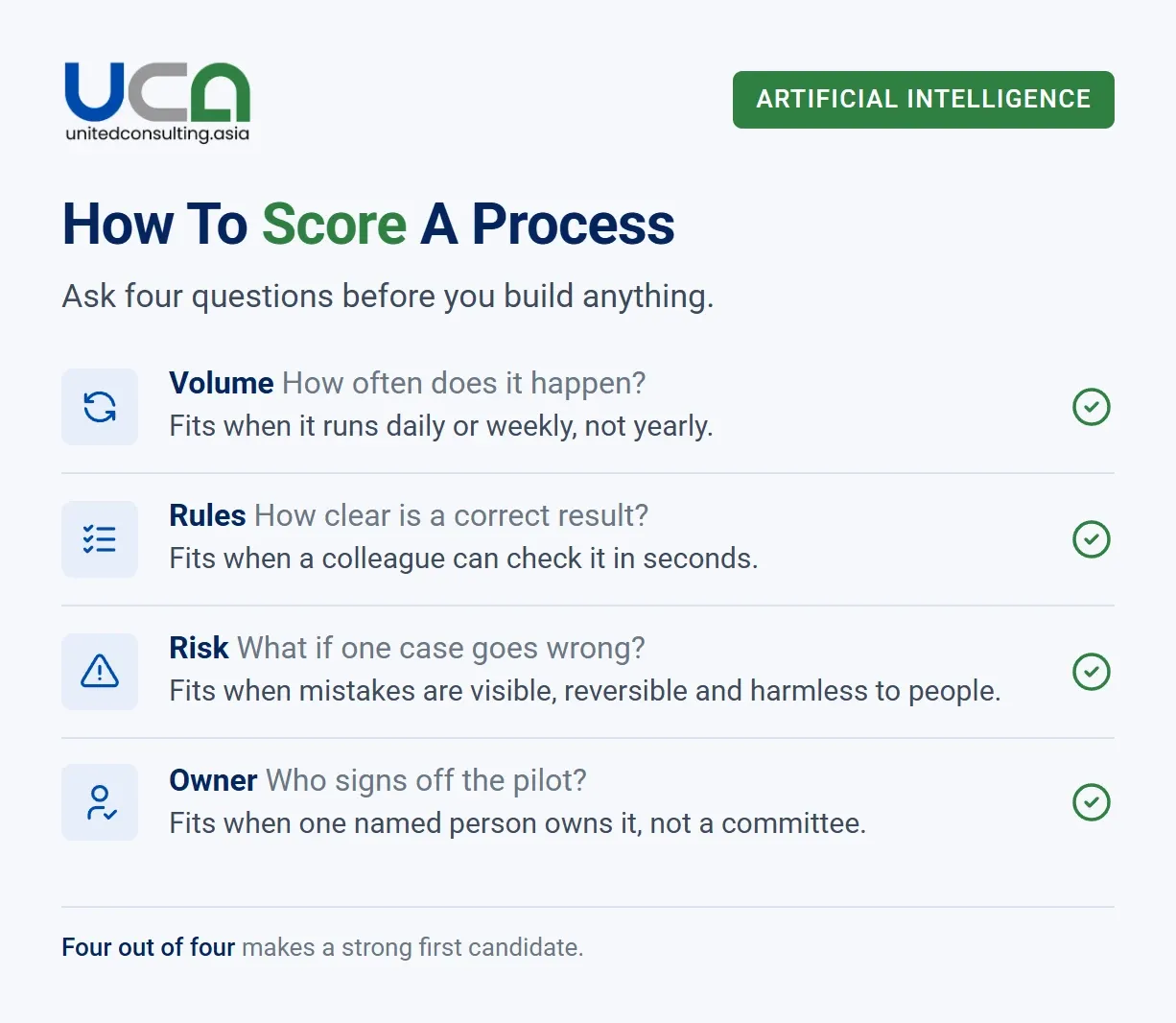
- Volume. How often does it happen? A daily or weekly process beats a yearly one.
- Rules. How clear is a correct result? If a colleague can check the output in seconds, it fits.
- Risk. What happens when one case goes wrong? Choose processes where mistakes are visible, reversible and harmless to people.
- Owner. Who signs off the pilot? One named person who owns the process beats a committee.
Here is how that plays out for a typical distributor. Supplier invoice intake happens every day, a correct result is easy to check against the purchase order, a mistake is caught at approval, and the chief accountant owns it: four out of four. The annual stocktake fails on volume alone. Replies to customer complaints happen daily but fail on risk, because a wrong reply lands on a customer, so they suit a draft-for-approval setup rather than full automation.
How United Consulting Can Help With AI Workflow Automation in Vietnam
The hard part of automation is rarely the software. It is agreeing what the process actually is, deciding what stays manual and connecting it to systems that were never designed to talk to each other. That is the work we take on.
A Workflow Redesign Session
We map one process as it really runs today, workarounds included, and score it against the others on your list. You come away knowing which workflow to automate first, where the human checks belong and what the exception path looks like.
Your First Automated Workflow, Built and Monitored
We build the chosen workflow, whether that is invoice intake, onboarding or order processing, with the exception handling designed in from the start. Each automated step has a named owner and a log, so nothing posts or ships without a trail.
Connecting the Systems You Already Run
Many firms in Vietnam run a mix of local accounting software, spreadsheets and a regional ERP. We connect what you have rather than replace it, and modernise older systems only where the automation needs a clean way in.
Every engagement starts the same way: a free 30-minute discovery session, then one pilot with the outcome agreed before we begin. A wider rollout follows only once the numbers hold up. See how this fits with the rest of our AI and digital optimisation services.
Conclusion
AI workflow automation is neither magic nor a gamble. It is a manual process written down properly, with the messy steps handed to AI and the risky ones kept with people. The three examples above work as templates for almost any repetitive admin flow.
Thinking about entering or expanding in Vietnam? Contact United Consulting at info@unitedconsulting.asia to map how AI workflow automation fits your plans.
Frequently Asked Questions
What is AI workflow automation?
AI workflow automation is software that runs a business process from start to finish: a trigger starts it, fixed steps process the input, and anything that does not fit the rules goes to a person. AI handles the steps that need reading or judgement, such as pulling data from an invoice or sorting an email, while plain rules handle calculations and routing.
What is the difference between AI automation and traditional automation?
Traditional automation, including robotic process automation (RPA), follows fixed rules and needs clean, structured input. AI automation can also work with messy input such as scanned documents, free-text emails and customer requests. Most good workflows combine the two: AI reads and classifies, and rules decide what happens next.
Which business processes should a small business automate first?
Start with a process that happens daily or weekly, has a clear correct result and does little harm when one case goes wrong. Supplier invoice intake, inbox triage and copying data between two systems are common first choices. Keep hiring decisions, large payments and anything a customer sees under human approval.
Is AI workflow automation safe for financial data?
It can be, if the workflow is designed for it. Use approved tools with data controls, keep payments above a set limit under human approval, and log every run and override for audit. For especially sensitive data, decide whether your AI runs locally or in the cloud before you build.